Create, customize, export, and import AutoCAD Tool Palettes
Tool palettes are a great tool that offers quick access to many AutoCAD tools and commands. You can expand the usability of AutoCAD tool palettes by making your own palette to store favorite blocks, dimension style, hatch patterns and even commands. In this article, I will tell you about Making, Modifying, Exporting and importing tool [ ]
Tool palettes are a great tool that offers quick access to many AutoCAD tools and commands.
You can expand the usability of AutoCAD tool palettes by making your own palette to store favorite blocks, dimension style, hatch patterns and even commands.
In this article, I will tell you about Making, Modifying, Exporting and importing tool palette.
Let’s start with making a new tool palette.
Making tool palette
Press CTRL+3 to open tool palettes.
You will see many tabs arranged in this palette like annotation, construction and modeling.
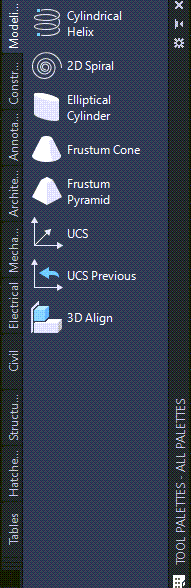
Right click on any tab from this palette and select new palette from the contextual menu which appears.
Give your palette a name, for our example, I am naming it as Custom palette.